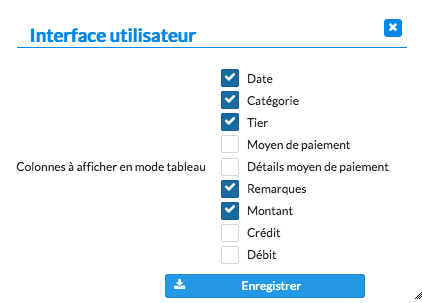
How to choose which columns to display
In HomeEasyBudget, you can customize how bank transactions are displayed by choosing which columns are visible in the "Accounts" view.
A setup for each device
The application lets you configure different sets of columns depending on the type of screen used: computer, tablet or smartphone. This flexibility helps you adapt the display to your preferences and to the resolution of your devices.
Steps
To choose which columns to display:
- Click "Settings".
- Select "Columns to display in table mode" for large screens, or "Columns to display in mobile mode" for small screens.
- Check or uncheck the columns you want.
- Click "Save".