How to create provision entries
Creating provision entries in HomeEasyBudget lets you use the provisioning technique in your personal accounts to anticipate and prepare for your future expenses.
Provision entries are especially handy alongside bank reconciliation, which lets you validate your accounts while still planning ahead for your upcoming expenses.
Create a provision entry
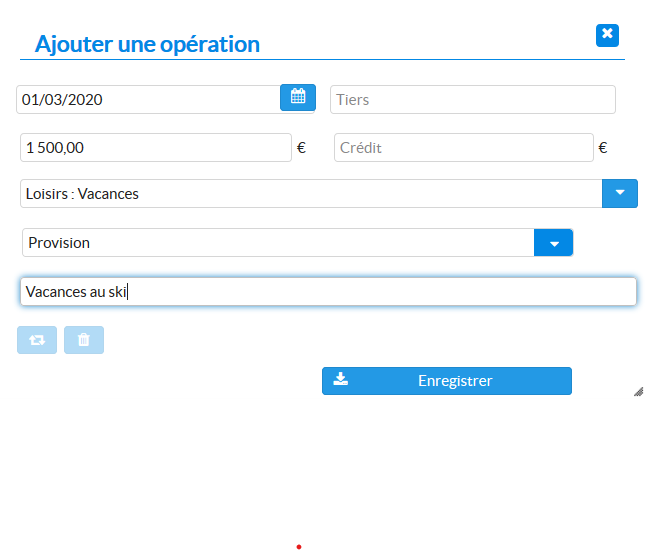
- Click the "Add transaction" button.
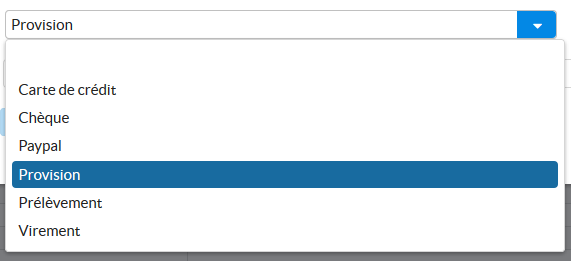
- In the "Method of payment" list, select the value "Provision".
- Fill in the other fields of the transaction entry form.

Viewing your provision entries
Provision entries appear in the transactions list, just like any other transaction. However, if you want to view only these entries to take stock of your provisioning:
- Type the word "provision" in the search field.
- Because the search covers all transaction criteria, including the payment method, only the provision entries are then shown.


Related help: What is provisioning?